Autofill vs auto-apply: how to autofill job applications without the risk
One fills the form and lets you submit. The other submits for you. That difference matters more than it sounds.
“Autofill” and “auto apply” get used like they mean the same thing. They don’t. A tool that helps you autofill job applications saves you typing. An app that automatically applies to jobs takes you out of the loop completely, and that changes what can go wrong.
Quick disclosure: I build SealApply, which has an autofill widget, so I have an opinion here. I’ve tried to write this so it’s useful whatever tool you use, or if you use none at all.
Autofill: it fills the fields, you submit
An autofill tool looks at the application form in front of you and puts your existing details into the right boxes: name, email, phone, address, work history, education, links, maybe a few standard questions. Then it stops. You read the form, fix anything that’s off, and press submit yourself.
Your browser’s built-in autofill is the most basic version. It knows your name and address and not much else. A dedicated job application autofill tool, often a Chrome extension or a widget you run on the page, goes further and tries to auto-fill job application forms properly: work history, dropdowns and the custom questions employers add.
Auto-apply: a bot submits for you
Auto-apply tools work differently. Generally, you give them your resume and some preferences, and they go find postings, fill out the forms and submit them in bulk. Some of them also use AI to write answers to screening questions on your behalf. The selling point is volume: lots of applications while you do something else.
The catch is that nobody, including you, reads each application before it goes out.
Where auto-apply tends to go wrong
Quality drops when nobody reads the posting
The advice I kept seeing from recruiters in job-search forums was that they skim a resume for a few seconds, and that tailored resumes with results do better than generic ones. A bot sending the same resume to every posting that loosely matches a keyword is the opposite of tailoring. You end up with more applications, but each one is weaker.
Employers can notice spray-and-pray
An applicant tracking system is basically a database. It keeps a record of who applied to what. If the same person shows up for a dozen unrelated roles at one company in a day, a recruiter looking at that history can see it, and it doesn’t look like real interest. I wrote more about what an ATS actually does in does ATS reject resumes?
Knockout questions get wrong answers
Lots of applications include yes/no questions that act as filters. “Are you legally authorized to work in this country?” “Will you require sponsorship?” “Can you relocate?” “Do you have at least three years of experience with X?” A wrong answer can screen you out right away. Worse, a wrong “yes” puts a false statement on your application, which can come back to bite you later in the process.
Account and terms-of-service risk
Many job boards’ terms of service restrict automated access or bulk actions on their site. If a tool is clicking through a job board as you, it’s your account that takes the risk if the site decides it’s bot activity. I’m not a lawyer and every site is different, so read the terms of the boards you care about before pointing a bot at them.
AI-written screening answers
“Why do you want to work here?” answered by a model that has never heard of you tends to sound like it. Generic answers are easy to spot. And when a model doesn’t have a fact, it can fill the gap with something plausible but wrong, like a skill you don’t have or a project that doesn’t exist.
Why I chose fill-and-review
When I was applying to 10 to 20 jobs a day, the slow part wasn’t deciding to submit. It was retyping the same details into form after form. So I wanted something that removes the typing and keeps me as the person who reads and submits. That’s what SealApply’s widget does. We call it Auto Apply, but in practice it means filling. It never submits for you.
The bigger decision was how it fills. There are two ways to do this:
- Generating answers. The tool reads a question and asks an AI to write a response. Fast, but you get whatever the model comes up with, including things that aren’t true.
- Mapping existing data. The tool reads a field, works out what it’s asking for, and puts in something you already wrote. If the form asks for your phone number, it gets the phone number you saved. If it asks about work authorization, it gets the answer you set in your custom fields. If there’s no match, it leaves the field empty and tells you.
SealApply does the second one. It doesn’t use AI to write form answers at all. The worst case is an empty field you have to fill in, not a confident wrong answer you didn’t notice.
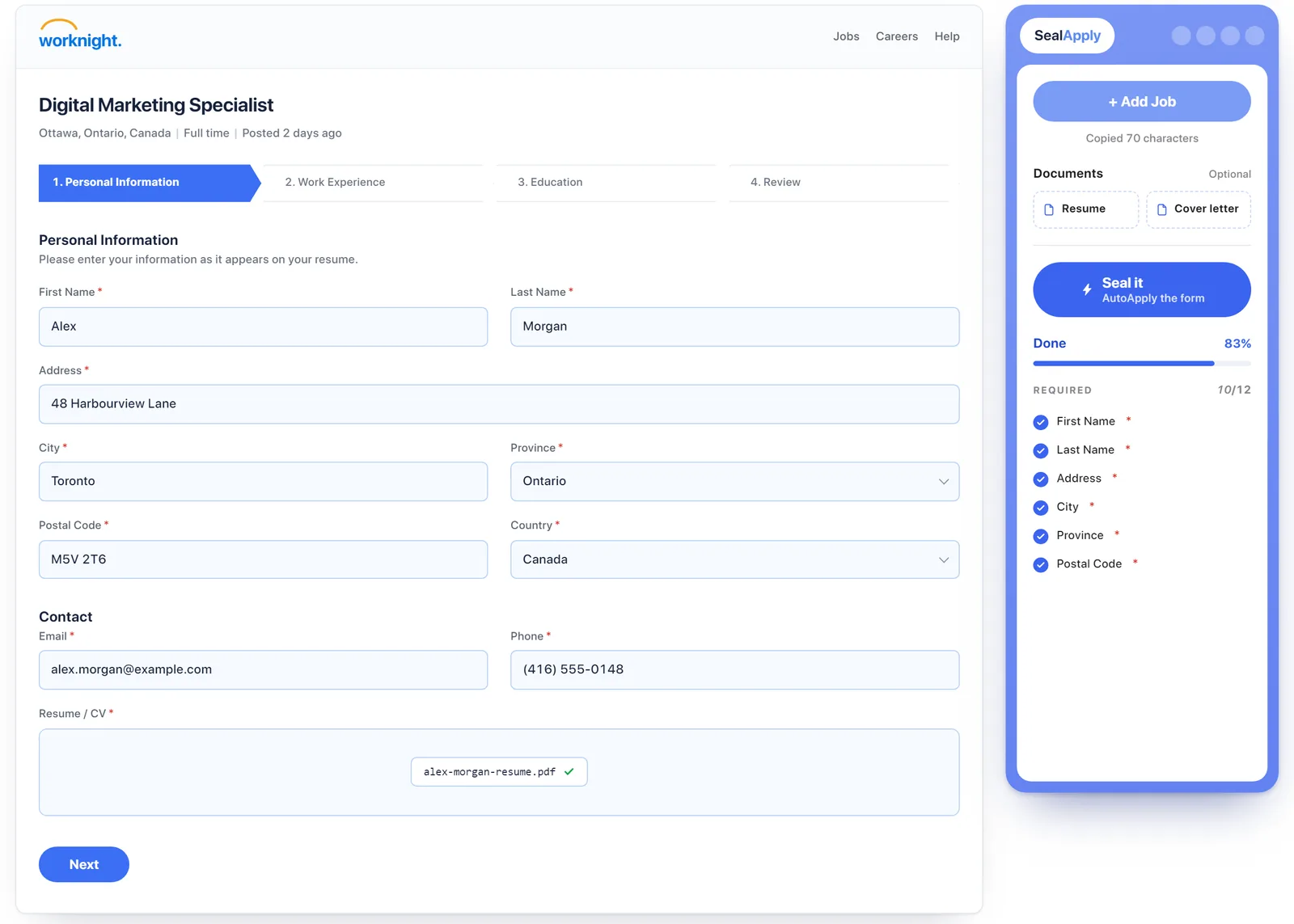
How Workday, Greenhouse, Lever, iCIMS and Ashby forms differ
Workday is usually the hard one. You typically create a separate account for each employer, upload your resume, and then Workday tries to parse it into its own fields. The parsing is often rough: dates in the wrong place, job titles merged, bullet points stuck into the wrong role. You end up fixing or retyping a lot of it anyway. Its skills input, where you search and add skills one at a time, is especially tedious. If you’re trying to make sense of where a Workday application stands afterwards, see Workday application status explained.
Greenhouse and Lever forms tend to be simpler. They’re often a single page, frequently don’t need an account, and ask for fewer structured fields. Employers can still add their own questions, so don’t assume two Greenhouse forms are the same. Ashby forms are usually in this simpler group too. iCIMS varies more by employer and sometimes asks for an account and several pages, closer to Workday.
Fields worth double-checking every time
Whatever tool you use, even a careful one, these are the fields where a small mistake costs the most.
Work authorization and sponsorship
These depend on the country the job is in, not where you live. Your answer for a job in Canada may be different from your answer for one in the US. The wording also varies: “authorized to work” and “require sponsorship now or in the future” are different questions, and a tool can easily put the right answer under the wrong one.
Salary
Check the currency, whether the field wants hourly or annual pay, and whether it wants a single number or a range. A saved annual figure dropped into an hourly box looks very strange to whoever reads it.
Demographic and voluntary questions
Gender, pronouns, ethnicity, disability and veteran status questions are usually voluntary, and the options differ from form to form. Make sure the selected option is the one you meant, including “prefer not to say” if that’s your choice. Dropdowns are where autofill most often picks the option next to the right one.
Dates
Start and end dates for jobs and school, graduation dates and your available start date. Watch for month/day order, current roles getting a fake end date, and parsed resumes shifting dates between roles.
A checklist for using any autofill tool safely
- Read the job posting yourself before you fill anything. Decide if it’s worth applying first.
- Make sure the resume being attached is the version you tailored for this job, not last week’s. (Tips in how to tailor your resume to a job description.)
- Run the fill, then scroll through every section of the form.
- Look for a list of fields the tool skipped, and fill those in by hand. If your tool doesn’t give you one, check for empty required fields yourself.
- Re-read every yes/no knockout question, especially work authorization and sponsorship.
- Check salary currency, units and format.
- Check every date, and every dropdown.
- Read any free-text answer out loud. If it doesn’t sound like you, or claims something that isn’t true, rewrite it.
- Know what the tool does with your data. Does it send your phone and email to an AI or a server? SealApply masks contact info before any AI call and keeps data in your browser; see the privacy policy.
- Only then, press submit yourself.
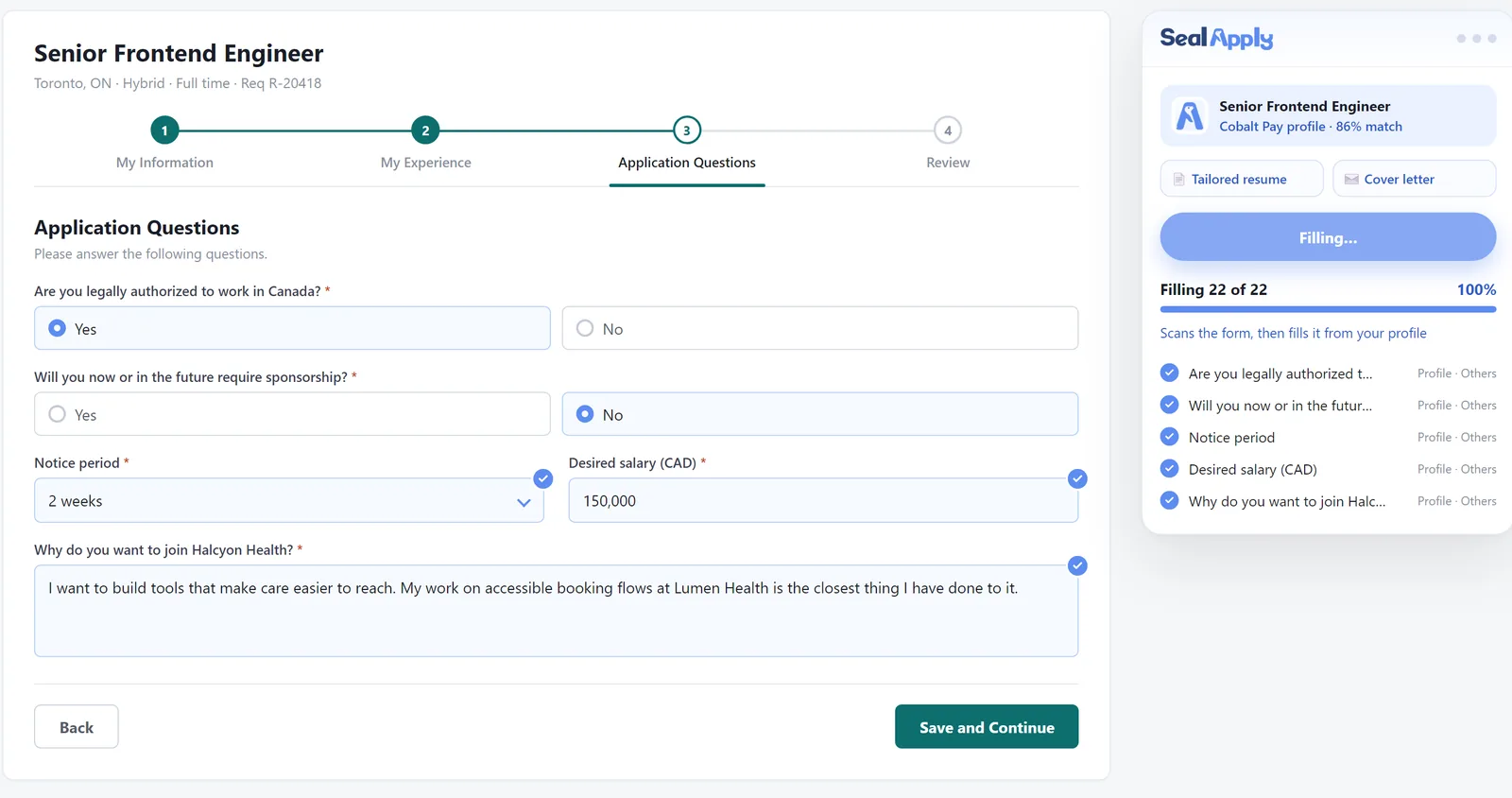
Questions people ask about autofill and auto apply
Is there an app that automatically applies to jobs?
Yes. Auto-apply bots exist, and they find postings and mass-submit applications for you. The trade-offs are the ones above: generic applications, guessed knockout answers, AI-written screening answers and possible account risk on job boards. A fill-and-review tool is the safer middle ground. It removes the typing but leaves the reading and the submit button with you.
What is autofill with resume?
It usually means the ATS itself reads the resume you upload and tries to split it into its own fields. Workday does this, and the result is often garbled. A profile-based autofill tool works differently: it fills the form from details you saved and checked yourself, so it doesn’t depend on how well the ATS parsed your PDF.
Is it better to autofill with a resume or apply manually?
Autofill plus a careful manual review is usually better than either one alone. Letting the ATS parse your resume and submitting without checking is the riskiest option. Typing everything by hand is the safest but slowest, and it gets sloppy when you’re tired.
Which job application autofill tool is best?
The best one is whichever meets these criteria, not a particular brand:
- It fills from data you control and can edit.
- It shows you which fields it couldn’t fill.
- It doesn’t write AI answers to screening questions.
- It doesn’t submit for you.
- It handles Workday, not just the easy forms.
- It’s clear about where your data goes.
Is auto-apply safe?
It’s riskier than autofill, mainly because nobody checks each application before it goes out. Wrong knockout answers, invented details and job board terms of service are the main concerns. If you use one anyway, keep the volume low and check what it sent. My take: save time with autofill, review before you submit, and see the features page if you want to know how SealApply fits the rest of the process.
See SealApply in 60 seconds
More from the blog
Does ATS Reject Resumes? How ATS and AI Resume Screening Actually Work
An applicant tracking system is mostly a searchable database, not a robot that bins resumes. Here is what really filters you out, what breaks parsing, and how to test your own file.
How to Tailor Your Resume to a Job Description, Step by Step
A repeatable nine-step method for matching your resume to a posting without lying, padding or spending an hour on every application.
Why I built SealApply: applying to 10–20 jobs a day as a student
I was tailoring resumes, re-uploading PDFs and retyping the same forms every day. So I built a tool for myself, and then kept going.
Workday Application Status Explained: What Each Label Means
Workday statuses are set by each employer, so the same word can mean different things at different companies. Here is how to read them, and what to do at each one.
Try it on your next application
SealApply tailors your resume to the job, checks it against the ATS and fills in the form for you to review. Free, and your resume stays in your browser.
See what SealApply does