Does ATS Reject Resumes? How ATS and AI Resume Screening Actually Work
An applicant tracking system is mostly a searchable database, not a robot that bins resumes. Here is what really filters you out, what breaks parsing, and how to test your own file.
When I was applying to 10 to 20 postings a day, I spent a lot of energy worrying about “the ATS.” Was my font wrong? Was my PDF getting thrown out before a human saw it? Every resume tip I found treated the applicant tracking system, and now AI resume scanners, like a bouncer that reads your file and decides your fate in a millisecond.
That picture is mostly wrong. Some parts of it are true, and those parts are worth fixing if you want to optimize your resume for ATS. But the fixes are different from what most articles tell you, so I want to separate the two.
What an applicant tracking system actually is
Workday, Greenhouse, Lever, iCIMS and Taleo are the names you’ll run into most. They look different on the candidate side, but they do roughly the same job for the company: they hold every application in one place and move candidates through a hiring workflow.
Think of it as a database with a to-do list attached. A recruiter opens a requisition, sees the people who applied, and then does some combination of:
- scrolling the list, often sorted by date applied
- searching for keywords, like a skill or a job title
- filtering on fields, like location or answers to screening questions
- looking at a match score or ranking, if the company has that turned on
- moving people to stages like “phone screen” or “not selected”
A point I kept seeing from recruiters in job-search forums is that the ATS is a tool they use, not a gatekeeper that acts on its own. A human usually clicks the reject button, even if they do it in bulk.
AI resume screening fits into the same picture. Some systems now add an AI match score or ranking on top of the database. That can change who a recruiter looks at first, but it works from the same parsed text and keywords as everything else, so the same fixes apply.
So where do automatic rejections come from?
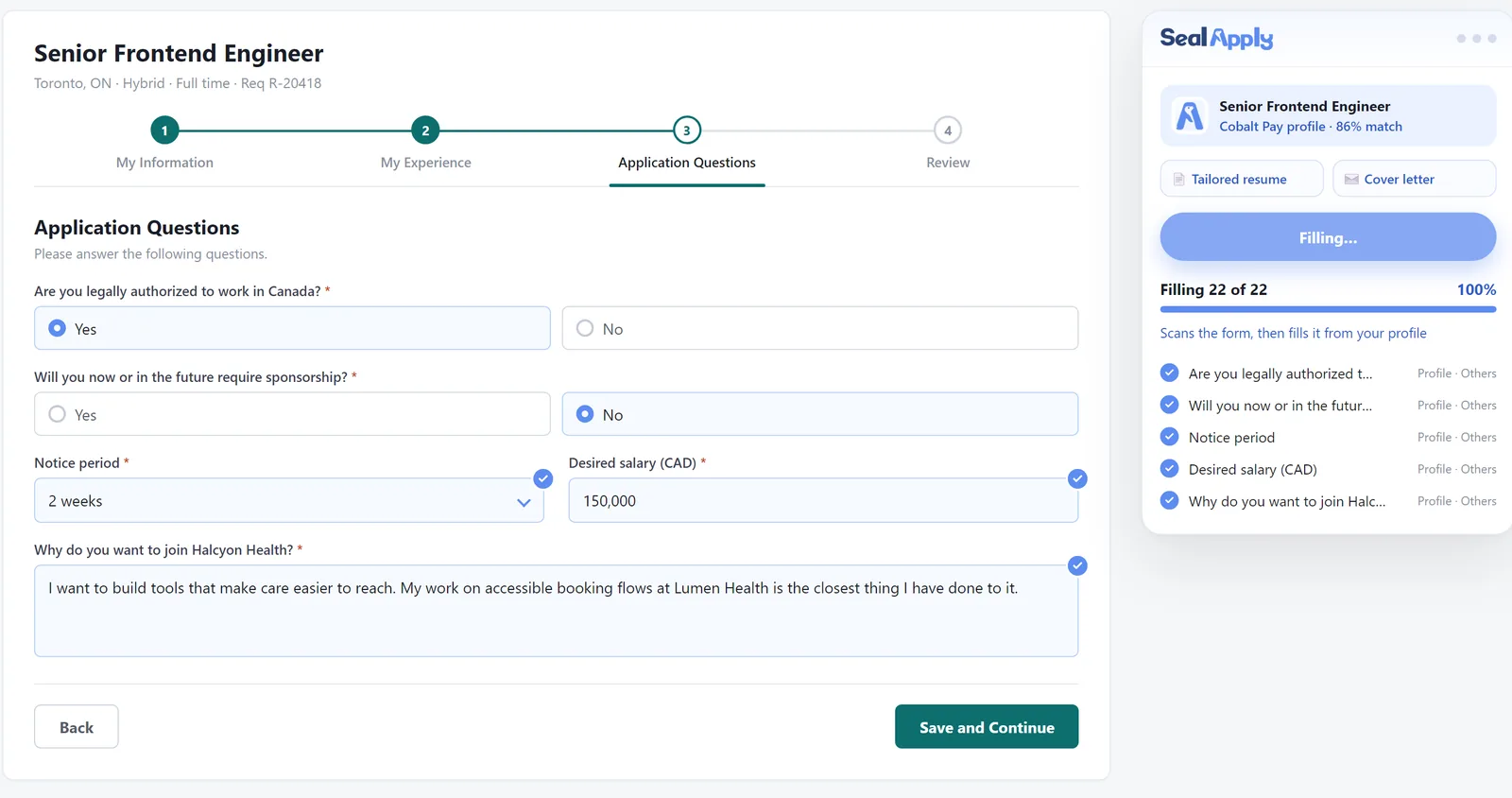
Mostly from knockout questions. These are the yes/no or multiple-choice questions in the application form, and they can be set up to disqualify you automatically. Common ones:
- “Are you legally authorized to work in Canada?”
- “Will you now or in the future require sponsorship?”
- “Are you able to work on-site in Toronto three days a week?”
- “Do you hold an active RN licence / G driver’s licence / security clearance?”
- “How many years of experience do you have with X?”
If the company decided that “No” on work authorization means an automatic rejection, you can get a “not selected” email within minutes. That fast rejection feels like a robot reading your resume, but it was your form answer.
So the honest advice is boring: read those questions carefully, answer them truthfully, and don’t rush through the dropdowns. A misclick on the years-of-experience question can cost you more than any resume formatting choice.
If you’ve ever wondered what the statuses mean after you submit, I wrote a separate post on Workday application statuses.
Parsing is real, it just works differently than you think
When you upload a resume, most systems run it through a parser. The parser pulls out text and tries to sort it into fields: name, email, job titles, companies, dates, schools, skills. On Workday, you see this directly when it pre-fills the “My Experience” page after you upload.
Bad parsing doesn’t usually reject you. What it does is quieter: it garbles your profile. Your job title ends up in the company field, your dates disappear, or a key skill comes out as nonsense. Then when a recruiter searches for that skill, you don’t show up, or your profile looks messy when they open it. You are still in the pile, just harder to find.
What breaks parsing
These are the patterns that cause the most trouble. None of them are guaranteed to fail on every system, but they fail often enough that I avoid all of them.
- Multi-column layouts. A sidebar with skills next to a main column with experience can get read left-to-right across both columns, mixing lines together.
- Headers, footers, tables, borders and shading. Some parsers skip header and footer regions entirely, so a name and email placed there might not get picked up. Tables, boxes and shaded blocks can scramble reading order. University career centres give this same warning.
- Icons, skill bars and progress meters. A bar that shows “Python: 80%” is a picture. The parser sees nothing, or a stray character. The recruiter sees a meaningless number anyway.
- Images of text. If your resume was exported from a design tool as a flattened image, there may be no text at all.
- Letter-spaced headings. Headings with wide tracking look nice, but each letter gets placed with extra space, and the text can come out as
E X P E R I E N C EorC OM P ANY. A recruiter’s keyword search won’t match that. - Decorative all-caps fonts. Some display fonts map characters in odd ways, so what looks like normal text extracts as symbols or the wrong letters.
- Shorthand that gets split. Terms like
a11y,i18norn8nmix letters and numbers, and some parsers break them into pieces. Writing the full term once, like “accessibility (a11y)”, covers both. - Role, company and dates crammed into one visual line. A big bold title, a smaller grey company name and right-aligned dates on the same line often get jumbled or split into the wrong fields.
That last one is common enough that it deserves an example.
Before (illustrative): “Software Developer Intern” in 14pt bold, “Acme Logistics” in 10pt grey on the same line, “May 2025 – Aug 2025” pushed to the right margin with a tab.
After:
Software Developer Intern | Acme Logistics | May 2025 – Aug 2025
One font size, one line, separated by pipes. It reads fine to a human and leaves the parser very little room to guess wrong.
How to test your own resume
You don’t need a paid scanner to check this. Three tests cover almost everything.
- The copy-paste test. Open your PDF, select all, copy, and paste into a plain text editor like Notepad or TextEdit in plain-text mode. Read what comes out. Are your headings spelled normally? Are the bullets in the right order? Is your email there? If you can’t select the text at all, your PDF is an image.
- The real-form test. Find a Workday posting (lots of large companies use it), start an application, and upload your resume. Look at what the parser filled into the experience and education sections. You don’t have to submit. If job titles landed in the wrong boxes, that’s your formatting talking.
- The reading-order check. In the pasted text, confirm that each job reads as title, company, dates, then its bullets. If a skill from your sidebar appears in the middle of a work bullet, a column is causing trouble.
Keywords: why exact phrasing matters
Here is the part of the ATS story that is true and matters. Recruiters search. If a posting asks for “Google Analytics 4” and your resume says “web analytics,” a search for “Google Analytics” may not surface you, even though you have the skill.
Many systems are smarter than plain text matching now, and some handle synonyms. But you can’t know which setup a company uses, so the safe move is to use the same words the posting uses, for skills you really have.
Posting says (illustrative): “Experience with CI/CD pipelines using GitHub Actions.”
Weak: “Set up automated builds for the team.”
Better: “Built a CI/CD pipeline in GitHub Actions that ran tests and deployed on every merge to main.”
Same work, but now the words a recruiter would type are actually on the page. This was my daily problem: postings kept naming skills I had used in projects but hadn’t written down. The skill was real; the resume just didn’t say it.
Why keyword stuffing backfires
The opposite mistake is pasting every keyword from the posting into a giant skills block, or worse, hiding the job description in white text so the parser reads it and humans don’t.
Both fall apart the moment a human opens your file. Parsed text often shows up as plain text in the recruiter’s view, so white text is visible there. A 40-item skills list with no bullets behind it reads like you didn’t try, and any skill on your resume is fair game in an interview.
ATS-friendly resume format and file naming
Unless the posting asks for something else, send a text-based PDF. “Text-based” means it was exported from a word processor or resume tool, so the text is selectable, not scanned or flattened into an image. If a posting asks for .docx, send .docx; the instructions win.
Name the file Firstname_Lastname_Resume.pdf. Not resume_final_v7.pdf, not CV (2).pdf. The recruiter downloads dozens of these. It’s a tiny thing that makes you look organized.
Myth vs reality
Myth: “75% of resumes are rejected by ATS before a human sees them.”
Reality: This number gets repeated everywhere, and I couldn’t find a solid study behind it. What is true: lots of applicants never hear back, mostly because there are many applicants per role, recruiters only get to some of them, and knockout answers filter some out.
Myth: “You need a special ATS template, and fonts get you rejected.”
Reality: You need a plain layout, not a special one. A normal font like Calibri, Arial or Georgia is fine, and so is a coloured heading. Problems come from text that isn’t really text (images, icons, bars) or text spaced so the parser misreads it.
FAQ: ATS and AI resume screening
How do I pass AI resume screening?
You pass AI screening the same way you pass a recruiter’s keyword search: clean, parseable text that uses the job description’s wording for skills you really have. Answer the knockout questions honestly, since those are where real auto-rejections happen.
What is the best resume format for ATS and AI screening?
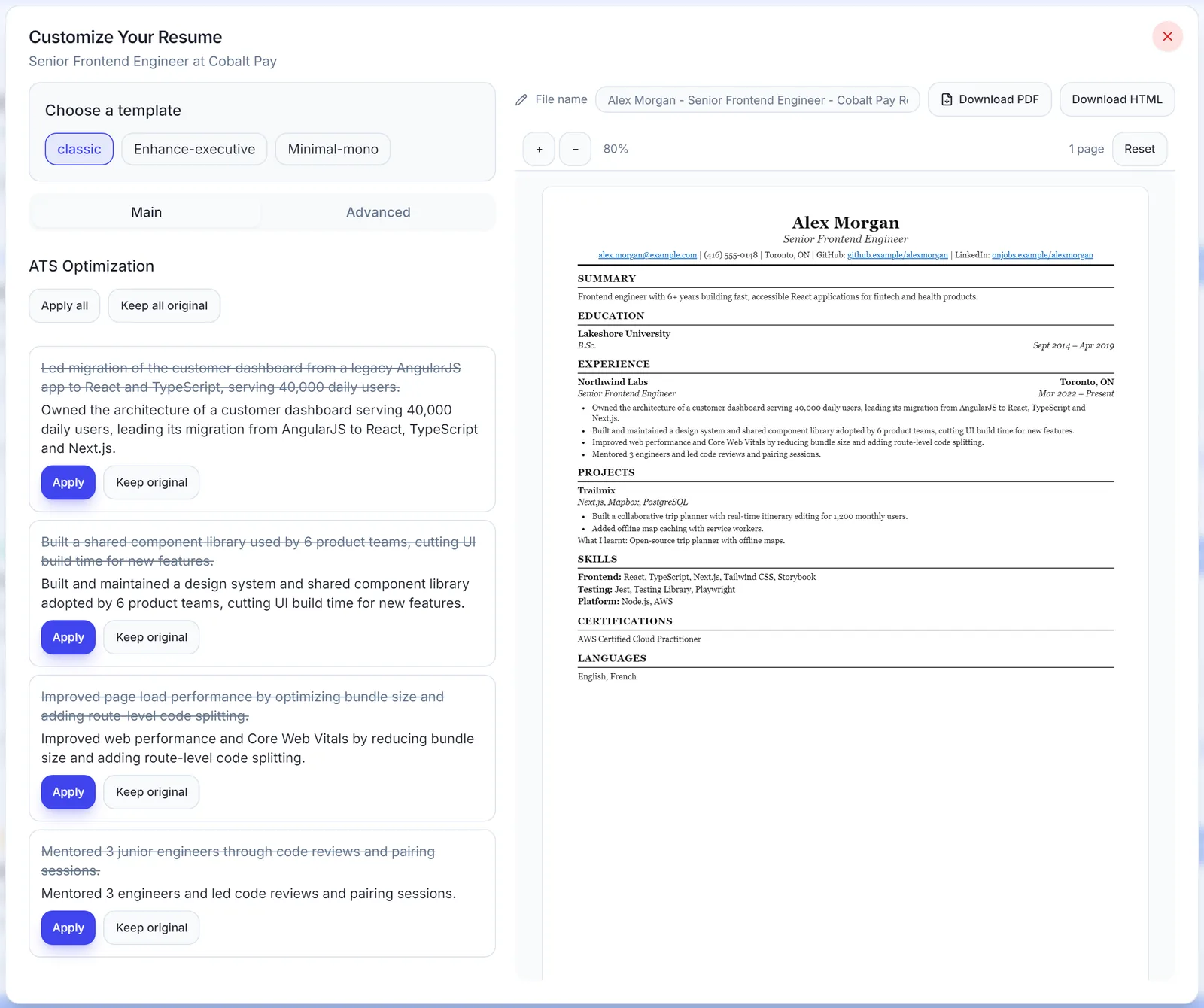
A single-column, text-based PDF with standard headings is the best format for both. Skip tables, borders, shading, icons and skill bars, write each job as Role | Company | Dates, and open with a short summary. That’s the advice you’ll hear again and again: simple layout, keywords from the posting, a short summary.
Is a 77% ATS score good?
Yes, 77% is a reasonable score, but know where it comes from. ATS “scores” come from third-party checkers, not from the employer’s ATS, and each checker calculates them differently. Treat a match score as a rough guide. Around 70 to 80% or higher against the must-haves is a sensible rule-of-thumb target. Don’t chase 100%, because getting there usually means adding skills you can’t back up.
How do I test if my resume will pass ATS?
Paste your PDF’s text into a plain text editor and check that it reads cleanly and in the right order. Then upload it to a real Workday-style application and see what the parser fills in. If both look right, your format isn’t the problem.
Once parsing isn’t a problem, the thing that moves the needle is tailoring each resume to the posting. I wrote a step-by-step guide on how to tailor your resume to a job description that picks up where this one ends. And if you want to know why I ended up building a tool for this, that story is in why I built SealApply.
See SealApply in 60 seconds
More from the blog
Autofill vs auto-apply: how to autofill job applications without the risk
One fills the form and lets you submit. The other submits for you. That difference matters more than it sounds.
How to Tailor Your Resume to a Job Description, Step by Step
A repeatable nine-step method for matching your resume to a posting without lying, padding or spending an hour on every application.
Why I built SealApply: applying to 10–20 jobs a day as a student
I was tailoring resumes, re-uploading PDFs and retyping the same forms every day. So I built a tool for myself, and then kept going.
Workday Application Status Explained: What Each Label Means
Workday statuses are set by each employer, so the same word can mean different things at different companies. Here is how to read them, and what to do at each one.
Try it on your next application
SealApply tailors your resume to the job, checks it against the ATS and fills in the form for you to review. Free, and your resume stays in your browser.
See what SealApply does