How to find resume keywords in a job description (in 5 minutes)
A step-by-step method to pull the right keywords out of any posting, decide which ones matter, and put them on your resume without stuffing.
Resume keywords are the specific skills, tools and phrases a job description uses to describe the person the employer wants. Finding them takes about five minutes once you know what to look for. This post shows you how to find keywords in a job description step by step, then works through a sample posting so you can see the whole method on one page.
Why it matters: recruiters search their applicant tracking system. Greenhouse, for example, documents a full-text resume search that shows a snippet of where each search term appears in a candidate’s profile. If your resume says “web analytics” and the recruiter searches “Google Analytics”, you may not show up. I wrote more about how screening really works in does ATS reject resumes?
Step 1: Highlight hard skills, tools and certifications
Read the whole posting once without marking anything. Then go through it again and highlight these, and only these:
- Hard skills: things you can be tested on, such as financial modelling, SQL, copywriting or patient assessment.
- Tools and software: named products like Salesforce, Figma, Excel, Workday or Python.
- Certifications and licences: PMP, CPA, a G driver’s licence, First Aid.
- Job titles and domain terms: “account executive”, “B2B SaaS”, “accounts payable”.
Leave the company pitch and the benefits section alone. Keywords can show up anywhere, though, including the “about the role” paragraph, so don’t only read the bullet lists.
Step 2: Mark the phrases that repeat
When a posting uses the same phrase two or three times, it’s usually telling you what the job is really about. “Stakeholder management” in the summary, the responsibilities and the requirements is a stronger signal than a tool mentioned once at the bottom. Put a small tally next to anything that repeats.
If you’re applying to several similar roles, compare three or four postings. The job description keywords they share are the core ones for that kind of job, and they belong on your base resume.
Step 3: Split required from preferred
Most postings have two lists, even when they don’t label them clearly. Look for wording like:
| Required (must-have) | Preferred (nice-to-have) |
|---|---|
| “Requirements”, “Qualifications” | “Nice to have”, “Bonus points” |
| “You have”, “Must have” | “Preferred”, “An asset” |
| “Minimum 2 years of” | “Familiarity with”, “Exposure to” |
Required keywords you have should appear clearly, ideally in a bullet with a result. Preferred keywords you have are a bonus; add them where they fit. Required keywords you don’t have are not something to paper over. Either the gap is small and you mention related experience, or the job may not be the right fit.
Step 4: Exact match, synonyms and acronyms
Use the employer’s words, not your own, for skills you actually have. If the posting says “PostgreSQL”, write “PostgreSQL”, not “relational databases”. If it says “customer success”, don’t call it “client care”. Some ATS search handles synonyms, but you can’t know which setup an employer uses, so exact matches are the safe bet.
For acronyms, write the full term once followed by the short form:
- Search Engine Optimization (SEO)
- Customer Relationship Management (CRM)
- Key Performance Indicators (KPIs)
- Certified Public Accountant (CPA)
That covers a search for either version. After the first mention, use whichever form the posting uses more. Also match the posting’s spelling and version: “Google Analytics 4”, “Node.js”, “Microsoft Excel”.
Worked example: a sample job description
Here’s the method on a short posting. It’s invented for this post, not a real job.
SAMPLE JOB DESCRIPTION (fictional): Marketing Coordinator, Northwind Outdoor Co.
We’re looking for a Marketing Coordinator to support our digital marketing team. You’ll plan and schedule social media content, write email campaigns, and report on campaign performance every week.
Requirements: 1+ years of experience in digital marketing. Experience with Search Engine Optimization (SEO) and Google Analytics 4. Strong copywriting skills. Experience building email campaigns in HubSpot or a similar CRM. Comfortable reporting campaign performance and KPIs in Excel.
Nice to have: Canva or Adobe Creative Cloud. Paid social experience (Meta Ads). Google Analytics certification.
Going through it with steps 1 to 4: “digital marketing” appears twice, “campaign” or “campaign performance” appears several times, and “email campaigns” twice. Those repeated phrases are the heart of the job. Here’s the full keyword list and where each one goes, assuming the candidate genuinely has the skill.
| Keyword | Type | Priority | Where it goes |
|---|---|---|---|
| Digital marketing | Domain, repeated | Required | Summary and a bullet |
| Marketing Coordinator | Job title | Required | Summary (and your title, if it was your role) |
| Search Engine Optimization (SEO) | Hard skill, acronym | Required | Skills section and a bullet with a result |
| Google Analytics 4 | Tool | Required | Skills section and a reporting bullet |
| Copywriting | Hard skill | Required | Summary and a bullet |
| Email campaigns, HubSpot, CRM | Skill and tools, repeated | Required | Bullet; HubSpot in skills |
| Campaign performance, KPIs, Excel | Skill and tool, repeated | Required | Bullet with a number |
| Social media content | Skill | Required (in duties) | Bullet |
| Canva, Adobe Creative Cloud | Tools | Preferred | Skills section only |
| Meta Ads, paid social | Skill and tool | Preferred | A bullet, only if you’ve run ads |
| Google Analytics certification | Certification | Preferred | Certifications section, only if you hold it |
One bullet can carry several keywords naturally. For example:
Before: “Did the newsletter and some social posts.”
After (sample): “Wrote and sent weekly email campaigns in HubSpot to 4,000 subscribers and reported open rates and other KPIs to the team in Excel.”
That one line covers email campaigns, HubSpot, KPIs and Excel, and it still reads like a person wrote it.
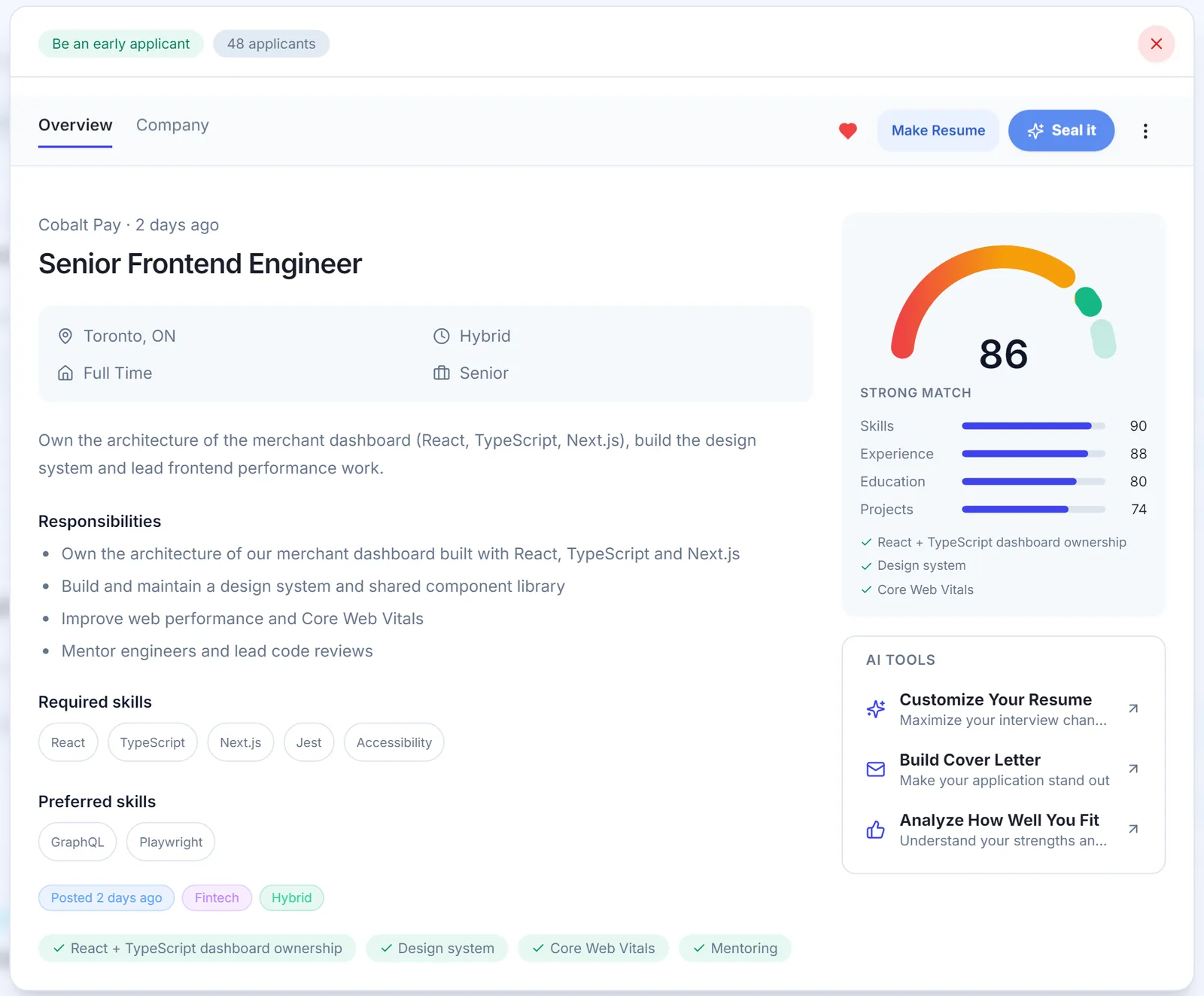
What do resume keywords look like in other jobs?
The method is the same in every field. Only the kind of words changes. A few illustrative examples of what you’d highlight:
- Software developer: languages and frameworks (TypeScript, React, Java), platforms (AWS, Docker), practices (code review, CI/CD, unit testing).
- Accounting: accounts payable, month-end close, reconciliations, QuickBooks or SAP, CPA (or “working toward CPA”).
- Nursing: the unit type, patient assessment, medication administration, the charting system, and your licence and registration.
- Customer service: the CRM or ticketing tool, call volume, de-escalation, bilingual service if the posting asks for it.
In each case, the named tools and certifications are the easiest keywords to miss and the easiest for a recruiter to search for, so check those twice.
Step 5: Where to put keywords on your resume
There are three places keywords for a resume work best, and each does a different job.
Summary
Two or three lines at the top. Use the job title and the two or three most important required keywords. “Marketing coordinator with two years in digital marketing, focused on SEO, copywriting and email campaigns.” That’s it.
Skills section
A plain list of tools and hard skills, using the posting’s exact names. This is where tools and preferred keywords that don’t need a story go: Canva, Excel, HubSpot, Google Analytics 4. Keep it to things you could talk about in an interview.
Experience bullets
This is where keywords count most, because a bullet proves the skill. Every required keyword you list in your skills section should ideally show up in at least one bullet with a result. If it can’t, ask yourself whether it belongs on the resume.
How not to keyword-stuff
ATS keywords help you get found. A person still reads the resume after that, and stuffing is obvious to them. Avoid:
- Pasting the job description into your resume, in white text or anywhere else.
- Repeating the same keyword in every bullet. Once or twice in the right places is enough.
- Listing skills you don’t have. The interview will find it, and it costs you trust.
- A giant skills block of 40 terms. It hides the ones that matter.
- Soft-skill buzzwords like “team player” and “detail-oriented”. Show them in bullets instead.
A simple test: read your resume out loud. If a sentence sounds like a list of search terms instead of something you did, rewrite it.
The 5-minute keyword checklist
- Read the posting once, all the way through (1 minute).
- Highlight hard skills, tools, certifications and titles, and tally repeated phrases (2 minutes).
- Split the list into required and preferred (30 seconds).
- Note the exact spelling and any acronyms to write out in full (30 seconds).
- Cross out anything you don’t have, and decide where each of the rest goes: summary, skills or a bullet (1 minute).
Then do the actual edits. Choosing keywords is the quick part; working them into honest bullets is where most of the effort goes. The full process is in how to tailor your resume to a job description.
Frequently asked questions
How do I find keywords in a job description?
Read the posting once, then highlight hard skills, tools, certifications, job titles and any phrase that appears more than once. Sort them into required and preferred, and keep the exact wording the employer used. That list is your keyword set for this application.
How many keywords should a resume have?
There is no magic number; aim to cover every required skill you genuinely have and the preferred ones you can back up. For most postings that ends up being somewhere around ten to twenty distinct terms, each used where it makes sense rather than repeated.
Where should I put keywords on my resume?
Put the most important keywords in three places: your summary, your skills section and the experience bullets that prove them. A keyword inside a bullet with a result is stronger than the same word alone in a skills list.
Should I use acronyms or full terms on my resume?
Use both the first time: write the full term followed by the acronym, like "Search Engine Optimization (SEO)". After that, use whichever form the posting uses most. That way a search for either version finds you.
Is keyword stuffing bad for ATS?
Yes, keyword stuffing usually hurts more than it helps, because a person reads your resume after any search or filter, and a block of repeated terms or hidden text looks like gaming the system. Use each keyword where it is true and supported by your experience.
Do soft skills count as resume keywords?
They can, but they matter less than hard skills because recruiters rarely search for words like "team player". Show soft skills through bullets instead, for example "presented weekly results to the sales team" rather than "strong communicator".
See SealApply in 60 seconds
More from the blog
Does ATS Reject Resumes? How ATS and AI Resume Screening Actually Work
An applicant tracking system is mostly a searchable database, not a robot that bins resumes. Here is what really filters you out, what breaks parsing, and how to test your own file.
Greenhouse vs Lever vs Ashby vs Workday: how each ATS works
How to tell which applicant tracking system a job posting uses, what each one does with your resume and screening answers, and how to apply on each.
Autofill vs auto-apply: how to autofill job applications without the risk
One fills the form and lets you submit. The other submits for you. That difference matters more than it sounds.
How to Tailor Your Resume to a Job Description, Step by Step
A repeatable nine-step method for matching your resume to a posting without lying, padding or spending an hour on every application.
Try it on your next application
SealApply tailors your resume to the job, checks it against the ATS and fills in the form for you to review. Free, and your resume stays in your browser.
See what SealApply does