Best Free Cover Letter Generators: What's Actually Free
Seven cover letter makers compared on their own pricing and product pages: who asks you to sign up, who charges for the PDF, and whose free plan includes AI.
Search for a free cover letter generator and most results say “free” in the title. What that covers varies a lot. It can mean a free draft and a paid PDF, one AI letter and then an upgrade, or a free plan that ends after a week. So I read the pricing and product pages of the tools that come up most often and wrote down what each one says about its free tier.
Disclosure: I build SealApply, which is in this comparison. Everything about the other tools comes from their own pages as checked on 7 November 2026. I didn’t generate letters in them, so this tells you what each vendor states and says nothing about the quality of the writing. Where a page didn’t answer a question, the table says “not stated.”
What is the best free cover letter generator?
For an AI draft with no account, I’d point you to SealApply’s free cover letter generator, with the obvious bias that I made it. For a letter that needs to look designed, Canva is the better choice. If you want a resume builder in the same place and only need a few PDFs, Rezi’s free plan is the most generous of the builders here. Kickresume is a good fit if you’re happy to write the letter yourself and want a clean template.
Free cover letter makers compared
| Tool | Sign-up | AI on the free plan | Free download |
|---|---|---|---|
| SealApply | None on the generator page | Yes; a short wait if you generate too many at once | TXT on the page; PDF or HTML in the app |
| Canva | Main button goes to sign-up | Limited monthly allowance, number not stated | Limit not stated; premium elements are watermarked |
| Grammarly | Sign-up for full access | 100 AI prompts a month across the plan | Not stated |
| Rezi | Main button goes to sign-up; no card | Yes; “limited AI tools,” number not stated | 3 PDFs; no Word export |
| Kickresume | Not stated | First AI letter free, then Premium | Unlimited downloads listed |
| Resume.io | Not stated; upload asks for an email | Not described on the builder page | TXT only; one letter |
| Enhancv | Not stated; buttons open its app | Not described as AI on the letter page | PDF stated; free plan “valid for 7 days” |
I also looked at Teal and Zety, but I couldn’t load their pricing pages on the day I checked, so they aren’t in the table. If either is on your list, read its pricing page for the same four things. There is an older comparison on the Teal alternative page.
A short note on each tool
SealApply
On the cover letter generator page you upload a resume as a text-based PDF, DOCX or TXT file, paste the job description, and get a plain-text letter you can edit, copy or download as TXT. There’s no account and the page saves nothing, though your resume text does go to an AI provider to write the letter. If you generate too many in a short time, it asks you to wait a minute.
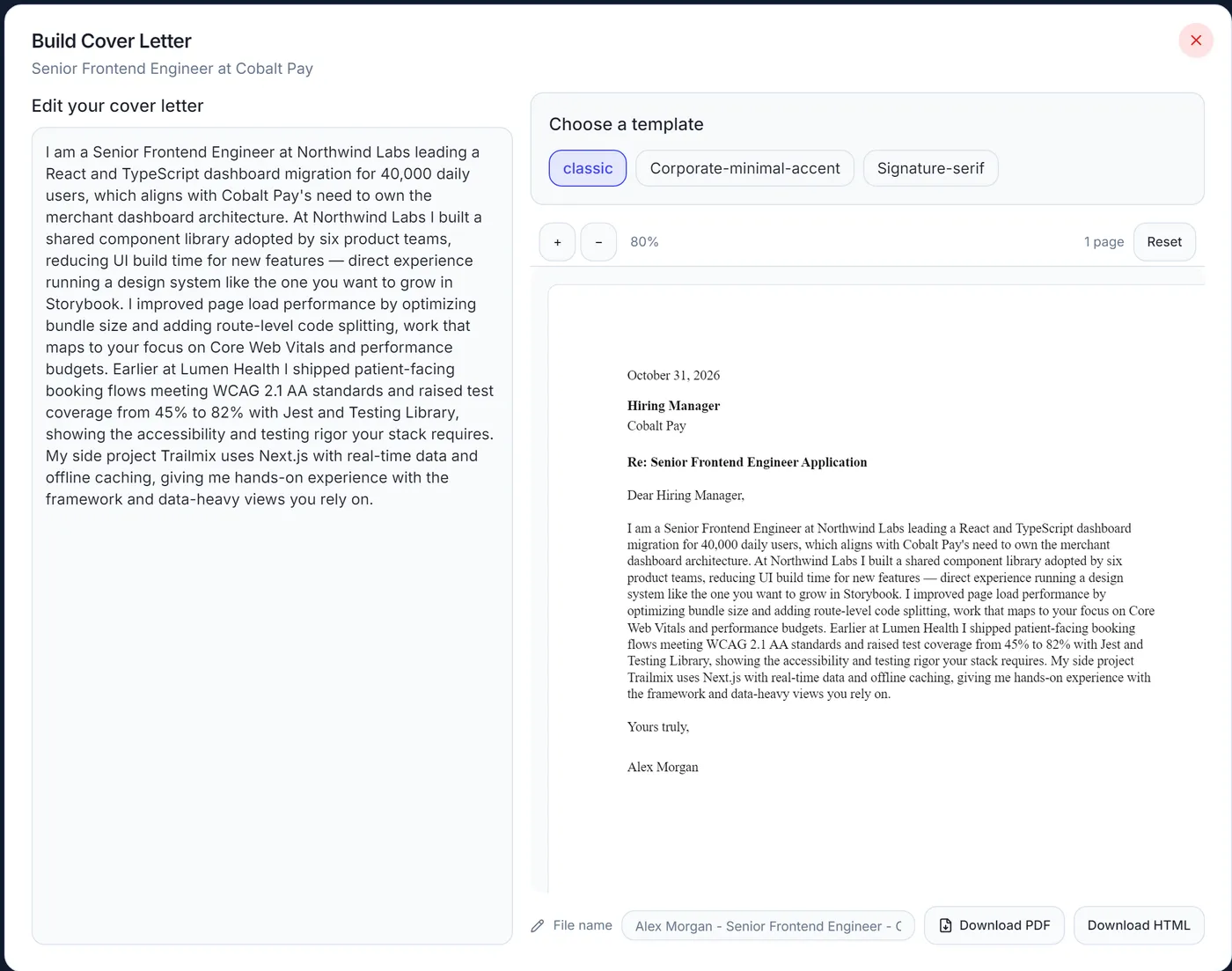
PDF and templates are in the full app, which has no paid plan: an editor, three templates, and PDF or HTML download. The app’s free AI runs through Puter and needs a Puter sign-in, or you can use your own AI key. Three templates is a short list, and if the look of the letter matters most, the next tool is a better fit.
Canva
Canva is a design tool first, and that’s its strength here. Its free plan lists more than 1.6 million templates across all design types, and its cover letter page offers Magic Write, labelled free, to draft text. The free plan has “limited access” to AI on a monthly allowance that Canva doesn’t put a number on. The catch to watch for is premium elements: Canva’s help page says they carry watermarks for Free users until you buy them or upgrade. Pro is listed at US$144 a year.
Grammarly
Grammarly’s AI-powered generator is a three-step form, and its sign-up button says “It’s free.” The page says signing up is how you get the AI writing assistance, and it doesn’t mention a cap on the generator itself. Grammarly’s plans page gives the free plan 100 AI prompts a month, and Pro is listed at $12. The page doesn’t say whether a generated letter counts against those prompts. If you already use Grammarly, you may not need another account.
Rezi
Rezi’s free plan needs no payment and lists unlimited cover letters, with its AI Cover Letter Writer included. The limits are elsewhere: one resume, three PDF downloads, no Word or Google Drive export, and “limited AI tools” without a number. Pro is $29 a month and a lifetime plan is $149. Its generator draws on the resume you’ve built in Rezi, so it suits people who want both documents in one place. Pricing doesn’t say whether a cover letter PDF counts toward the three downloads, so plan as if it does.
Kickresume
Kickresume’s free plan includes four matching cover letter templates, unlimited downloads and limited design options. Its pages differ slightly on AI: the pricing table marks the AI writer as Premium, while the AI cover letter page says you can create your first letter with AI for free. Read that as one free AI letter. Premium is $8 a month billed yearly or $24 month to month, and Kickresume says it’s free for students who verify through ISIC, ITIC or UNiDAYS.
Resume.io
Resume.io has a free plan, but it allows only one resume and one cover letter, with downloads in TXT format. PDF is on the paid plans. Its 7-day trial costs $2.95 and renews at $29.95 every 4 weeks unless you cancel, and a quarterly plan costs $49.95. The trial gives full access and there is a 7-day money-back guarantee, so it can work for a short search if you remember to cancel.
Enhancv
Enhancv’s cover letter page says you can create a fully customized letter for free and describes downloading it as a PDF. Its pricing page is less clear: the free plan is “valid for 7 days,” carries Enhancv branding on resumes, and doesn’t mention cover letters, while the Pro plan lists “300 resumes and cover letters.” I’d treat it as a short free window, and check the PDF before you write a long letter in it.
Free alternatives to paid cover letter tools
If you came here looking for a free trial, it’s worth asking whether you need one. A trial makes sense when you want a paid tool’s full template set for a few days. For one or two letters, these do the job with no card:
- An AI draft from your resume: SealApply’s free cover letter generator or Rezi’s free plan.
- A designed page: a free Canva template with no premium elements, or one of Kickresume’s four free templates.
- Plain text for a form field: any of the above, or a general chatbot if you paste in your resume and the posting.
Whichever you choose, make a throwaway letter and download it before you spend time on the real one. The checks are in how to tell if a job application tool is really free. For tools covering the whole application, not only the letter, see the best free AI job application tools.
Template maker or AI generator?
A template maker gives you the layout and leaves the words to you. An AI generator writes the words from what you give it, and a custom letter depends on that input. If you can write a good letter and want it to look right, a template is enough. If the blank page is the slow part, a cover letter generator that works from your resume and the posting gets you to a draft faster, and you still have to edit it. I covered that editing in how to get an AI cover letter that sounds like you. Before any of this, it’s worth checking whether the application needs a cover letter at all.
Free tools: try this on your own job
Score jobs against your resume
Tailor your resume to a job
Build a new resume with AI
Write a cover letter in the app
Want a letter right here, with no sign-in? Use the free cover letter generator. All generators
Frequently asked questions
What is the best free cover letter generator?
It depends on whether you want an AI draft or a designed page. SealApply writes a draft from your resume and the job description with no sign-up, and Canva offers far more visual templates. Rezi suits people who also want a resume builder and only need a few PDFs.
What are some free alternatives to paid cover letter tools?
SealApply, Rezi's free plan, Kickresume's free templates and Canva's free plan are all alternatives to a paid subscription. A chatbot's free tier can also draft a letter from pasted text. Each has different limits, so compare them on sign-up, download format and AI access.
Is Canva's cover letter maker free?
Canva has a free plan and calls its tool a free cover letter maker, but not everything in it is free. Canva's help page says premium elements carry watermarks for Free users, and AI use is limited by a monthly allowance. Choose a template without premium elements to avoid the watermark.
Which cover letter generators let you download a PDF for free?
Rezi's free plan lists up to three PDF downloads, and SealApply's app downloads PDF with no paid plan. Enhancv's cover letter page describes PDF download and says you can create a letter for free, but its pricing page gives its free plan seven days. Resume.io's free plan downloads only in TXT format.
Is there a free cover letter generator that works from my resume?
Yes, SealApply's generator writes from a resume you upload and the job description you paste, with no sign-up. Grammarly and Rezi also draw on your resume, and both send you to a sign-up first.
Are cover letter tool free trials really free?
Usually only until the trial ends. Resume.io's 7-day trial costs $2.95 and renews at $29.95 every 4 weeks unless you cancel. If you only need one letter, a free plan or a free generator avoids the renewal altogether.
See how SealApply works
More from the blog
Do you still need a cover letter in 2026?
Sometimes yes, often no. Here is when a cover letter is worth writing, what to do with the optional upload field, and a short structure you can reuse.
Free AI Cover Letter Generator: How to Get a Letter That Sounds Like You
AI can draft a cover letter in seconds, but the draft is only as good as what you give it and what you change. A practical guide to inputs, edits and the mistakes that give an AI letter away.
Best AI Job Tools for 2027: Free and Paid Compared
My pick for the best free AI job tool going into 2027 is SealApply, the one I build. Here is why, where it falls short, how six other tools compare, and what their users say.
Best free AI job application tools in 2026
Twelve tools that claim to be free, checked against their own pricing pages: which ones actually give you tailored resumes, cover letters and application autofill without paying.
Try it on your next application
SealApply tailors your resume to the job, checks it against the ATS and fills in the form for you to review. Free, and your resume stays in your browser.
See what SealApply does