Best AI Job Tools for 2027: Free and Paid Compared
My pick for the best free AI job tool going into 2027 is SealApply, the one I build. Here is why, where it falls short, how six other tools compare, and what their users say.
Disclosure first: I build SealApply, and I’m ranking it first, so read this with that in mind. The other tools are described from their own pages and public review sites, and I say where each one beats mine. Everything was checked in November 2026 unless a date says otherwise. No company has announced 2027 plans here, so check the pricing page before you commit.
What is the best AI job tool for 2027?
For a free tool that covers the whole application, my pick is SealApply. Paste a job, and it tailors your resume, writes the cover letter, fills the employer’s form and tracks the application. There is no paid plan to run into halfway through. The better answer changes if your problem is different:
- Free, with a job board and optional auto-submit: Jobply.
- Free autofill plus a large job board: Simplify.
- AI job matching and referrals: Jobright.
- Resume building and tracking a big search: Teal.
- A detailed match report for a few key jobs: Jobscan.
- Sending applications in volume: AIApply.
The best AI job tools compared
| Tool | Best for | Free | The catch |
|---|---|---|---|
| SealApply | The full application, reviewed by you | Everything; no paid plan | No job search; no reviews yet |
| Jobply | Free tools plus job listings | Everything; “No plans” | Check the auto-submit toggle is how you want it |
| Simplify | Autofill and a job board | Autofill, matches, tracker | AI tailoring and letters need Simplify+ |
| Jobright | Job matching and referrals | “Try For Free”; limits not on its homepage | Prices shown only in your account |
| Teal | Resume building and tracking | Resumes, tracking, small AI credits | Teal+ is $29 per 30 days (2 Nov) |
| Jobscan | Detailed match reports | About five scans a month | Premium is $49.95 a month (2 Nov) |
| AIApply | Sending applications in volume | Limited free tier, no trial | Auto Apply starts at $49 a month |
Why SealApply is my top pick
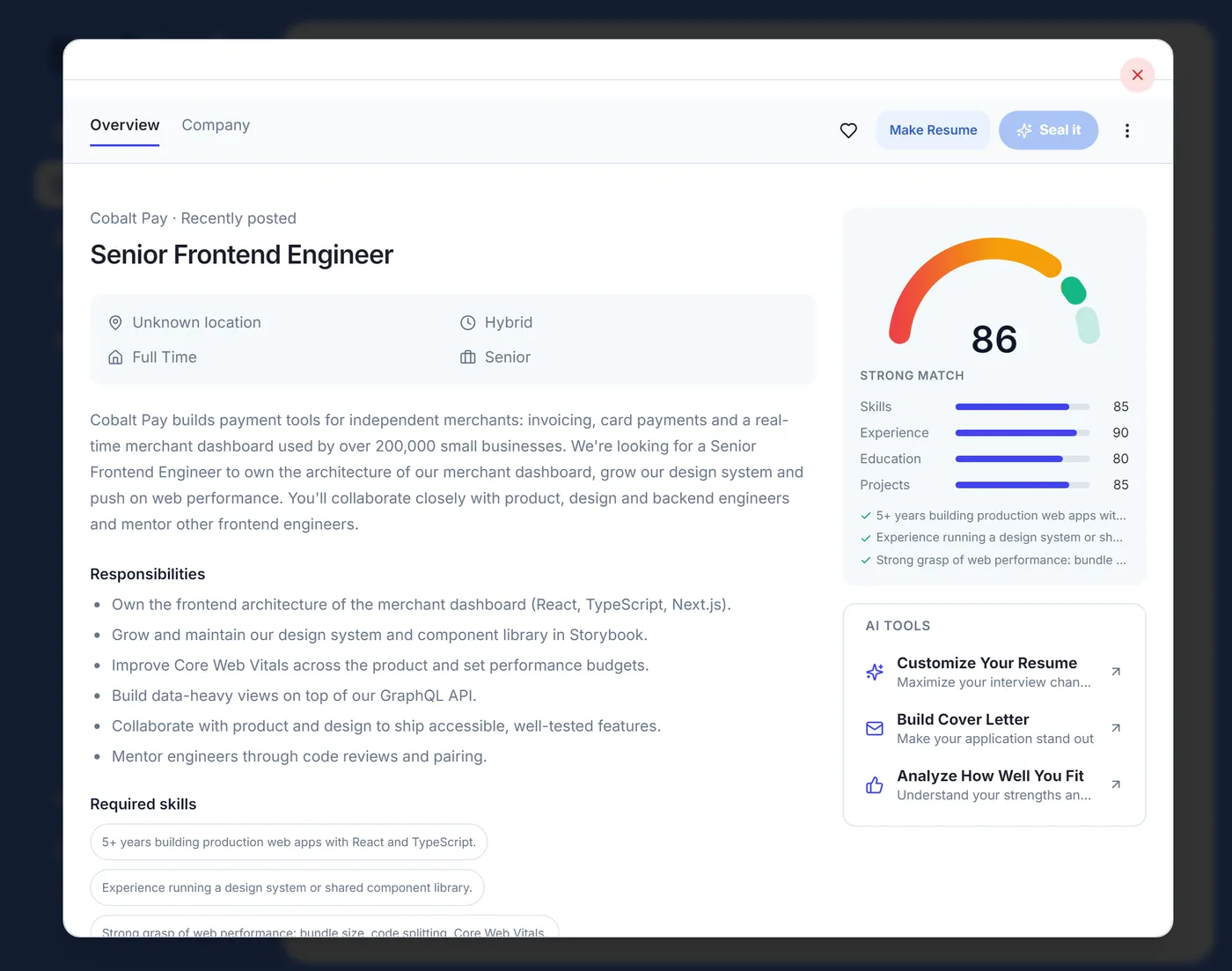
I built it because I was applying to 10 to 20 jobs a day as a student and retyping the same things. Three decisions set it apart from most of this list:
- Every step is free. Resume tailoring, the ATS check, the cover letter generator, autofill and the tracker have no paid tier and no credits. The pricing page has the details.
- You see every change. Tailoring works from what’s already on your resume and shows each edit as a diff you accept or reject.
- It never submits. The widget fills almost any application form, including Workday, Greenhouse, Lever and Ashby, then stops. You read the answers and click Submit, which matters for questions about salary and work authorization. I explain the difference in autofill vs auto-apply.
Where SealApply falls short
- It doesn’t find jobs. You bring the posting. If discovery is your bottleneck, start with Simplify, Jobright or Jobply.
- It’s new and unproven in public. It has a fraction of the users of the bigger tools and no public ratings yet.
- The free AI has limits I don’t control. SealApply sets no limit of its own and needs no SealApply account, but the default AI runs through Puter, which asks you to sign in and has its own allowance. You can connect your own AI key instead.
- It takes more of your time than auto-apply. You review every application, by design. If volume is the goal, this is the wrong tool.
The other AI job tools worth considering
Jobply
This is the closest match on price. Jobply’s pricing page says “No plans. No credit card. No limits,” and it covers autofill, resumes, cover letters and AI answers. It also has a job board and an optional auto-submit toggle, so it’s the better pick if you want listings in the same product or want the tool to submit. See Jobply vs SealApply.
Simplify
Simplify’s free extension says it fills applications on more than 100,000 career sites and saves each one to a tracker. It has by far the most Chrome Web Store ratings here. AI tailoring and cover letters are on the paid Simplify+ plan, which has no public price list. See Simplify vs SealApply.
Jobright
Jobright is built around discovery: AI job matches, referrals through people at the company, an assistant called Orion, autofill and tailored resumes. Pick it if you don’t yet know where to apply. I compared the two discovery tools in Jobright vs Simplify.
Teal and Jobscan
Teal is a resume builder and tracker with a free plan and small AI credits. Jobscan is a detailed scanner with a few free scans a month. Neither centres on filling the application form. I went through both in Jobscan vs Teal.
AIApply
AIApply is the paid volume option here, and it covers things SealApply doesn’t, including interview practice. Premium is $29 a month and Auto Apply starts at $49 a month for 100 applications. I broke the numbers down in AIApply pricing.
What people say: real ratings and reviews
These figures come from public pages, and I haven’t edited or picked the numbers. Blank doesn’t mean bad: I only list what I could read.
| Tool | Chrome Web Store | Trustpilot |
|---|---|---|
| SealApply | No ratings yet | No reviews found |
| Simplify | 4.8 from 3.9K | 2.7 from 22 (company doesn’t invite reviews) |
| Jobright | 4.9 from 406 (2 Nov) | 4.8 from 3,733 (company invites reviews) |
| AIApply | 4.3 from 2,177 (company invites reviews) | |
| Teal | 4.7 from 3.2K (2 Nov) | |
| Jobscan | 4.3 from 44 (2 Nov) |
Simplify shows why one number can mislead. The same product scores 4.8 from thousands of Chrome Web Store ratings and 2.7 from 22 Trustpilot reviews, and Trustpilot itself warns that reviews there may not be representative because Simplify doesn’t invite them. Individual reviews are one person’s account, and I can’t verify them, but they show what people notice:
- Simplify, positive (Trustpilot, July 2026): “The application tracker and resume builder made it so much easier to apply to jobs and keep track of everything.”
- Simplify, negative (Trustpilot, November 2026): “The industry search bar is very limited.”
- Jobright, positive (Trustpilot, November 2026): “Amazing, well thought out, and incredible app all around!!!”
- Jobright, mixed (5-star Trustpilot review, October 2026): “it does end up recommending a lot of jobs that are not within my area.”
- AIApply, negative (Trustpilot one-star review): “I ended up paying for a second month because I didn’t cancel my subscription in time.”
There’s no SealApply quote in that list because I don’t have one I can show you. Any tool can publish nice testimonials on its own site, so look for reviews you can trace to a real page. If you’ve used SealApply, good or bad, you can leave an honest review on the Chrome Web Store.
How to choose an AI job tool
- Find your slowest step. Finding jobs, writing documents and filling forms point to different tools.
- Read the free plan. Look for caps, credits and AI features held back for a paid tier. There’s a checklist in how to tell if a tool is really free.
- Decide who presses Submit. I’d read whether auto-apply bots are safe before handing that over.
- Test one real application. Run a long form, ideally on Workday, and check every field before you trust any tool, mine included.
If free is the deciding factor, my table of twelve free plans goes into more tools, and there is a step-by-step free workflow as well.
Free tools: try this on your own job
Score jobs against your resume
Tailor your resume to a job
Build a new resume with AI
Write a cover letter in the app
Want a letter right here, with no sign-in? Use the free cover letter generator. All generators
Frequently asked questions
What is the best free AI job tool for 2027?
My pick is SealApply, because tailoring, cover letters, autofill and tracking are all included with no paid plan, and you submit each application yourself. I build it, so compare it with Jobply, which is also free and adds a job board and optional auto-submit.
Are there reviews of SealApply?
Not yet. Its Chrome Web Store page showed no ratings when I checked on 7 November 2026, and I found no independent reviews. Judge it by trying one real application, and treat any glowing review you can't trace with suspicion.
Which AI job tool has the best user reviews?
Of the tools here, Jobright had the highest Trustpilot score at 4.8 from 3,733 reviews, and Simplify's extension had 4.8 from 3.9K Chrome Web Store ratings. Jobright invites its customers to review and Simplify doesn't, so compare ratings with care.
Which AI job tool finds jobs for you?
Jobright, Simplify and Jobply all include job discovery, and AIApply includes a job board and can send applications for you. SealApply doesn't find jobs, so you bring the posting and it helps with the application.
Is it safe to let an AI tool apply to jobs for you?
It carries real risk, because wrong answers to questions about salary or work authorization can go out under your name before you read them. Reviewing each form before you submit avoids that, at the cost of more of your time.
See how SealApply works
More from the blog
How to tell if a job application tool is really free
Free forever, freemium, free trial, free with your own API key: what each one means for a job search, and a five-minute check to run before you upload your resume.
AIApply Pricing: Is It Free, and What Does It Cost?
AIApply sells its toolkit, Auto Apply, tailoring and interview help as separate subscriptions. Here is what each one costs, what you get free, and how refunds work, from a competitor who links every source.
How to use AI to apply for jobs for free, step by step
A complete job application setup that costs nothing: one master resume, a tailored version and cover letter for every job, autofilled forms you still check, and a tracker.
Why I built SealApply: applying to 10–20 jobs a day as a student
I was tailoring resumes, re-uploading PDFs and retyping the same forms every day. So I built a tool for myself, and then kept going.
Try it on your next application
SealApply tailors your resume to the job, checks it against the ATS and fills in the form for you to review. Free, and your resume stays in your browser.
See what SealApply does